


When it comes to protecting your home or business, an alarm for security system is far more than just a loud siren mounted on a wall — it is the central nervous system of your entire safety infrastructure. Whether you are a first-time homeowner looking to dip your toes into the world of home automation or a facility manager overseeing a multi-site commercial operation, understanding how security alarms work, what types are available, and which features truly matter can make the difference between a setup that gives you genuine peace of mind and one that leaves critical gaps in your defenses. In this comprehensive guide, we will walk you through everything you need to know about choosing, installing, and optimizing an alarm system that works hard to keep your property safe.
What Is an Alarm for a Security System and Why It Matters
At its core, a security alarm is a network of sensors, control panels, and notification devices designed to detect unauthorized entry, environmental hazards, or other emergency conditions and alert occupants or monitoring services accordingly. Modern alarm systems go well beyond simple door-and-window contacts. They integrate motion detectors, glass-break sensors, smoke and carbon monoxide detectors, flood sensors, and even smart cameras into a unified ecosystem that responds to threats in real time.

The importance of a reliable alarm system cannot be overstated. According to the FBI’s Uniform Crime Reporting program, a burglary occurs every 25.7 seconds in the United States. Homes without security systems are statistically three to four times more likely to be targeted. Beyond deterring intruders, alarm systems also provide early warning for fires, gas leaks, and water damage — events where every second of notification can prevent catastrophic loss. Investing in a quality alarm for your security system is not just a protective measure; it is a financial decision that can save you thousands in damages, insurance claims, and emotional distress.
Types of Alarms Used in Security Systems
Not all alarms are created equal, and understanding the different categories available on the market helps you make informed decisions. Here are the most common types of alarms integrated into modern security systems:
- Intrusion Alarms — These are designed to detect unauthorized physical entry through doors, windows, and other access points. They include magnetic reed switches, passive infrared (PIR) motion sensors, and vibration sensors.
- Fire and Smoke Alarms — Optical smoke detectors, ionization alarms, and heat sensors that trigger when smoke or rapid temperature increases are detected. Many modern systems combine these with automated emergency calls.
- Carbon Monoxide (CO) Alarms — Essential for homes with gas furnaces, fireplaces, or attached garages, these sensors detect the odorless, colorless gas that can be lethal at high concentrations.
- Glass-Break Sensors — Acoustic or shock-based detectors that recognize the specific frequency and pattern of breaking glass, providing an additional layer of perimeter defense.
- Flood and Water Leak Sensors — Typically placed near water heaters, sump pumps, or basement areas, these alarms detect the presence of water and alert homeowners before significant damage occurs.
- Panic and Duress Alarms — Silent or audible buttons activated manually during emergencies, often used in commercial settings or by individuals who feel threatened.

Wired vs. Wireless Alarm Systems
One of the most fundamental decisions you will face when building your security setup is choosing between wired and wireless alarm technology. Wired systems use physical connections between sensors and the control panel, offering excellent reliability and resistance to signal interference. However, they require professional installation and are less flexible when you need to relocate sensors or expand coverage areas. Wireless systems, on the other hand, communicate via RF, Wi-Fi, or Z-Wave protocols, making them easier to install, more scalable, and generally preferred for residential and small business use. Many modern hybrid systems combine the best of both worlds, using wireless sensors connected to a wired backbone for maximum reliability and convenience.
Key Features to Look for in a Security Alarm System
Not every alarm system offers the same level of protection. When evaluating options, pay close attention to the following features that separate basic setups from truly comprehensive security solutions:
- 24/7 Professional Monitoring — A monitoring center that receives your alarm signals and dispatches emergency services automatically provides the highest level of response assurance.
- Mobile App Control — Remote arming, disarming, and real-time notifications through a smartphone app give you control whether you are across the room or across the globe.
- Z-Wave or Zigbee Integration — Compatibility with smart home ecosystems like Alexa, Google Home, and Apple HomeKit allows your alarm to work alongside lights, locks, and cameras seamlessly.
- Backup Power Supply — A battery backup ensures your alarm continues to function during power outages, which is precisely when intruders are most likely to strike.
- Cellular Communicator — A dedicated cellular module prevents intruders from disabling your system by cutting phone or internet lines.
- Customizable Zones — The ability to divide your property into zones allows for targeted alerts and reduces false alarms from specific areas like pet-friendly rooms.
Choosing the Right Alarm System for Your Home or Business
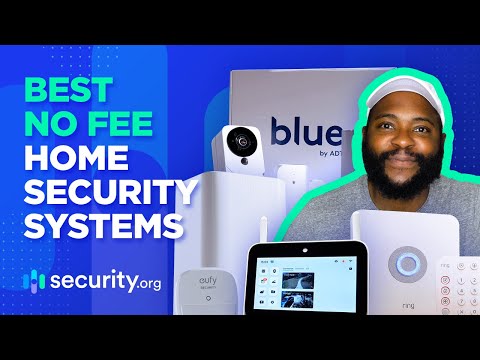
Selecting the ideal alarm for your security system depends on several factors, including property size, budget, monitoring preferences, and the level of automation you want. Below is a comparison of three popular categories to help narrow your decision.
| Category | Best For | Avg. Monthly Cost | Installation | Scalability |
| DIY Smart Alarm Kits | Renters, small homes, budget-conscious users | $0–$15 | Self-install | Moderate |
| Professional Wired Systems | Large properties, businesses, high-security needs | $30–$80 | Professional | Low |
| Hybrid Wireless Systems | Homeowners wanting flexibility with reliability | $20–$50 | DIY or professional | High |
Expert Tip: If you are renting or planning to move within a few years, a DIY smart alarm kit from brands like SimpliSafe, Ring Alarm, or Wyze offers excellent value without long-term contracts. For property owners looking to add long-term value and robust protection, a professionally installed hybrid system with cellular backup and 24/7 monitoring is the gold standard.
Installation Tips and Best Practices for Maximum Effectiveness
Even the most advanced alarm system will underperform if it is not installed correctly. Here are proven strategies to ensure your security alarm delivers maximum protection:
- Place motion sensors at entry points such as hallways and stairwells, roughly six to eight feet above the floor, where movement is most detectable.
- Install door and window contacts on every ground-level and accessible entry point. Do not forget secondary entrances like garage side doors and basement windows.
- Keep the control panel hidden but accessible. Avoid placing it near the front door where an intruder could easily find and disable it.
- Test your system monthly to ensure all sensors, batteries, and communication modules are functioning properly. Most modern systems have a simple test mode accessible through the app.
- Reduce false alarms by keeping sensors clean and positioned away from pets, drafts, and direct sunlight, which can trigger PIR sensors incorrectly.
- Use outdoor signage and strobe lights as visual deterrents. Studies consistently show that visible alarm signage reduces the likelihood of a property being targeted.
Common Mistakes to Avoid
Many homeowners set up their alarm system and forget about it, which is one of the biggest mistakes you can make. Failing to update sensor batteries regularly, ignoring firmware updates, and neglecting to inform your monitoring provider about new pets or residents can all compromise system performance. Additionally, using default passwords on your smart alarm app is a security risk that could allow unauthorized access to your system settings.
Conclusion
An alarm for a security system is one of the most impactful investments you can make in the safety and value of your property. From understanding the different types of alarms available to choosing the right features, installation methods, and monitoring options, every decision you make shapes the effectiveness of your overall protection strategy. Start with the basics — reliable sensors, a responsive control panel, and a trustworthy monitoring service — and build from there as your security needs evolve. The goal is not just to react to threats but to prevent them entirely, and a well-designed alarm system is the cornerstone of that proactive approach.
Frequently Asked Questions
What is the best alarm system for a small business with a limited budget? For small businesses operating on a tight budget, DIY wireless alarm kits like the Ring Alarm Pro or SimpliSafe Business system offer excellent value. These systems provide essential features such as door/window sensors, motion detection, mobile app control, and optional professional monitoring at a fraction of the cost of traditional commercial installations. Look for systems that offer cellular backup and customizable alert zones to minimize false alarms during business hours.
Can I install an alarm for my security system myself without professional help? Absolutely. Most modern wireless alarm systems are designed specifically for DIY installation and typically take between 30 minutes and two hours to set up. Brands like SimpliSafe, Wyze, and Abode provide step-by-step video guides and customer support to walk you through sensor placement, Wi-Fi configuration, and app setup. Professional installation is only necessary if you prefer a fully hardwired system or want integration with complex home automation networks.
How does a wireless alarm system communicate with the monitoring center? Wireless alarm systems typically use a combination of Wi-Fi, Z-Wave, or cellular radio frequencies to communicate between sensors and the control panel. The control panel then sends alert signals to the monitoring center via a dedicated cellular communicator, internet connection, or both. Systems with cellular-only backup ensure that alerts reach the monitoring center even if your internet or power is disrupted, which is critical during attempted break-ins where intruders may target communication lines first.
What should I do if my alarm system keeps triggering false alarms? False alarms are a common frustration but are usually solvable with a systematic approach. First, check the batteries in all sensors — low power is the most frequent culprit. Next, verify that motion sensors are not aimed at areas with moving pets, curtains, or heating vents. Clean sensor lenses regularly, update firmware through the manufacturer’s app, and adjust sensitivity settings if available. If problems persist, consider switching to pet-immune motion detectors or relocating problematic sensors to different positions within the room.
Is a monitored alarm system worth the extra monthly cost? For most homeowners and business owners, yes. A monitored alarm system provides 24/7 professional oversight, automatic emergency dispatch, and faster response times compared to unmonitored setups that only trigger local sirens. The added cost — typically $20 to $60 per month — is often offset by insurance premium discounts and the invaluable benefit of professional intervention during a break-in, fire, or medical emergency. If you travel frequently or own property that is unoccupied for extended periods, monitored security is practically essential.